Trove

Home inventory and warranties

Know where the receipt is.

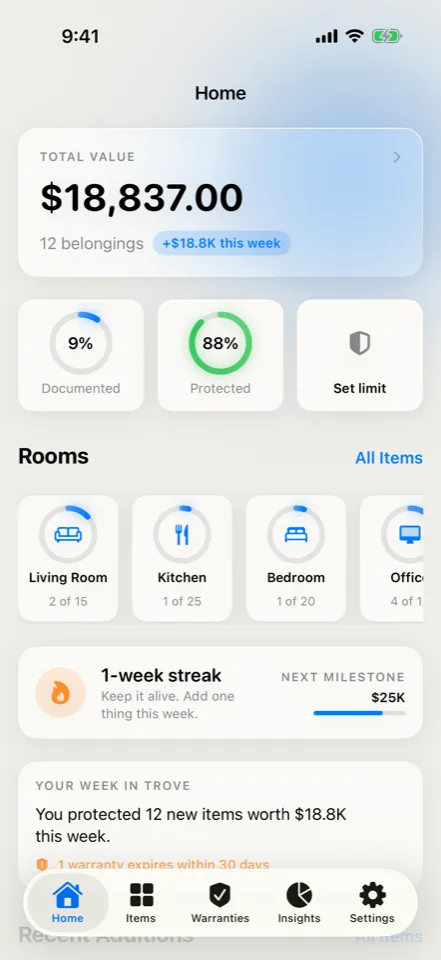
Keep photos, receipts, serial numbers, and warranty dates with the belongings they describe. Trove helps you build that record now, so you can find it when a repair, move, or claim makes it useful.

Item recognition, receipt reading, and inventory questions run on-device. Photos are stored locally. Full boundary

iPhone · iPad
In development. Not yet available to install.

Trove: Check the details. App preview with example content. In development.
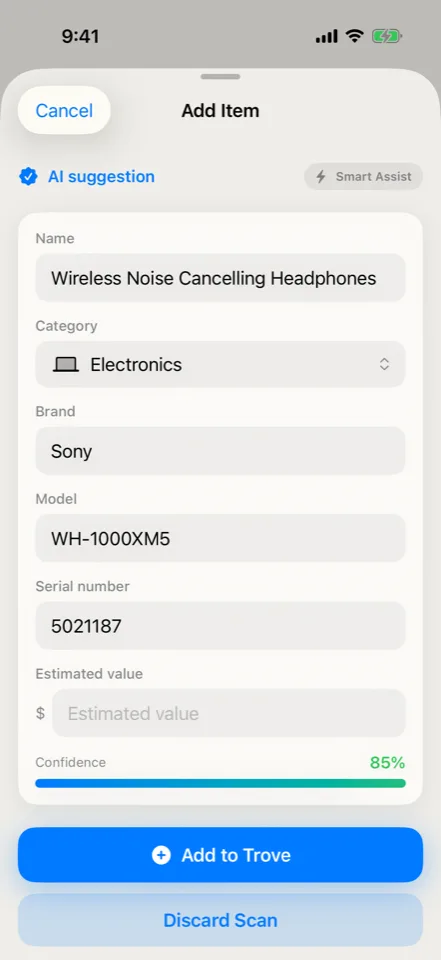
Check suggested item fields, correct them, and decide whether to add the record.App preview · Example content · In development

Building the inventory

Let a photo do some of the typing.

Start with a room photo, an item, or a receipt. Trove proposes the details, and you check what belongs in the record.

  1. Capture what is there.

    Photograph an item or start a room scan to get a list of possible items. The scan helps with entry; it can miss things.

  2. Check the details.

    Correct names, quantities, serials, and suggested values. Add the receipt and photos you want to keep with each item.

  3. Find it later.

    Look up an item or ask a question about the inventory. Open its record to find the photos, receipt, and serial number you saved.

Prepare the records for a claim.

Plus Choose the affected items and their photos for a Claim Kit. Plus also creates PDF and CSV reports for the wider inventory.

A report documents your records. It does not establish an appraisal, insurance coverage, or claim acceptance.

See which warranties end next.

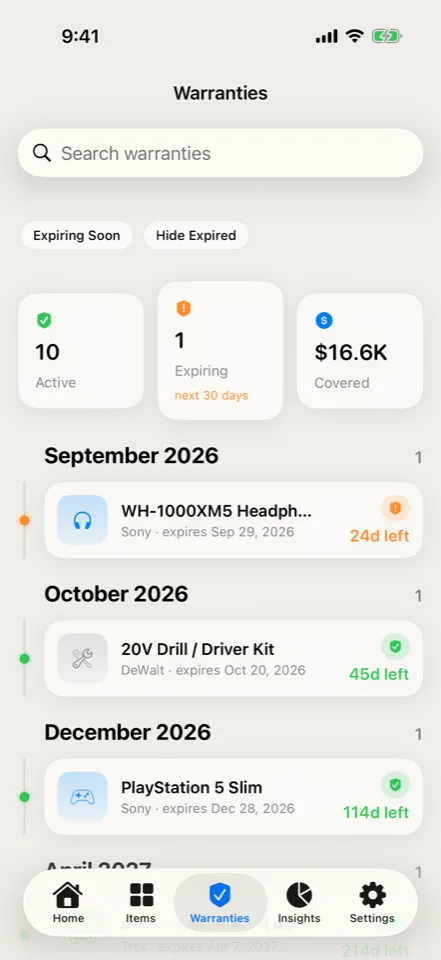
Review saved warranty dates in one place and open an item when you need its receipt or serial number. With notification permission, Trove can remind you before a recorded expiry.

Back up the photos with the records.

A free Trove archive includes your inventory and available local images, including receipts. Restore it by merging with the inventory or replacing it.

The archive includes image files that are still available on the device. Private iCloud record sync does not replace this photo-inclusive backup.

Free and Plus

Start with the belongings you want on record.

In development

Planned features and limits are shown below. Pricing and compatibility will be confirmed before release.

Free

  • 25 items in one home
  • Ten AI scans per calendar month
  • Portable archive backup and restore

Plus

  • Unlimited items and scans, with multiple homes
  • Inventory PDF, CSV, and Claim Kit reports
  • Optional private iCloud record sync

Planned: Free · Plus $2.99/mo · $19.99/yr · $39.99 lifetime

Inventory questions are separate from the scan allowance.

What you will need

The current build targets iPhone and iPad on iOS or iPadOS 26 with Apple Intelligence available. Camera and notification features need their respective permissions.

The Boundary Check

How Trove handles your records.

Where the work happens, where your records live, and which features use a connection.

Where does the processing happen?
Apple Vision recognizes items and reads receipts locally. Inventory questions use on-device models; totals and rankings are calculated in code.
Where does the storage live?
Inventory records and image files are local by default. Plus can opt into private iCloud record sync. That sync does not currently replicate the local photo and receipt image files.
What connects to the network, and when?
Optional private iCloud, model setup, and App Store purchases can connect. Exported archives and reports go to the destinations you select.
Read the collection’s privacy model

Before release

Questions about Trove.

Yes. The development build proposes item candidates from a room photograph. You choose and edit the items before saving; the app keeps object crops rather than promising to preserve the full original room image. It is a photo-based starting point, not a complete 3D scan or a guarantee that every possession will be found.