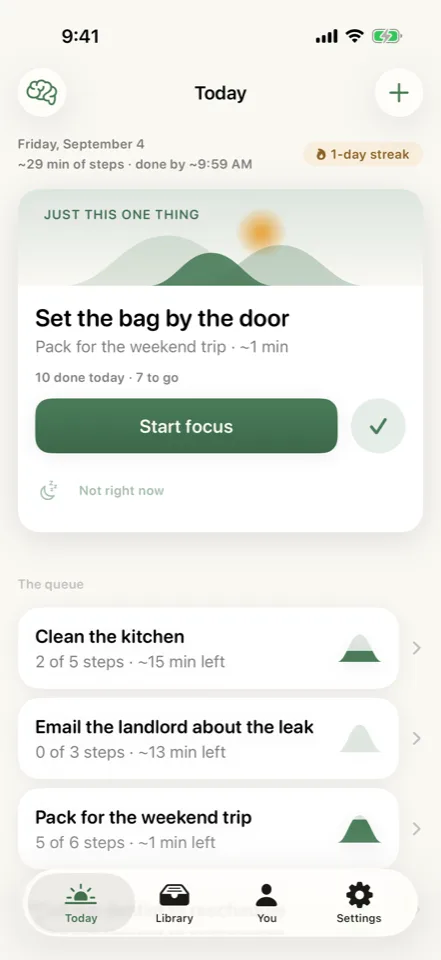
Molehill

Task breakdown and focus

Start with a smaller step.

Tell Molehill what you need to do and turn it into an editable plan. When a step still feels too big, split that part again without starting over.

Task planning, brain-dump sorting, and speech transcription run on your iPhone. Tasks do not sync to a cloud service. Full boundary

iPhone
In development. Not yet available to install.

Molehill: Make a start. App preview with example content. In development.
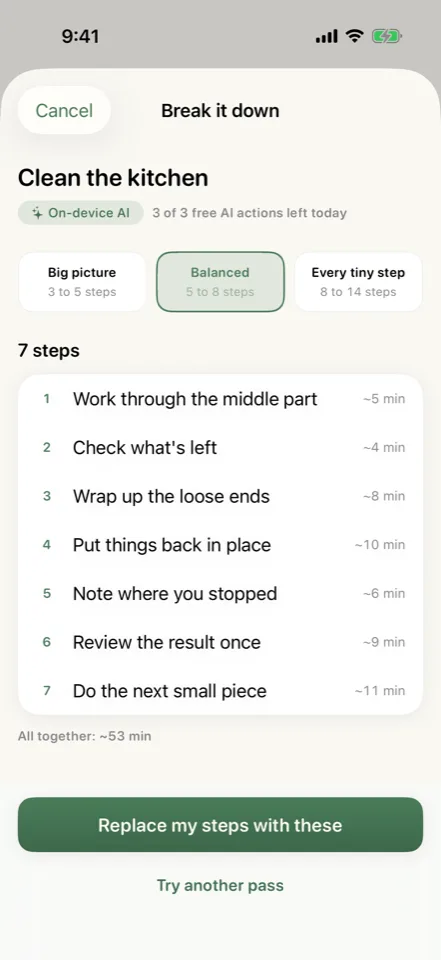
Choose the level of detail, inspect a proposed breakdown, then replace the task’s steps.App preview · Example content · In development

When a task is not getting started

Split the step that stops you.

“Clean the kitchen” can become “put away the cups.” Molehill keeps the task in view while helping you find a smaller action you can take now.

  1. Choose the detail.

    Ask for a broad outline, a balanced plan, or smaller steps. Review the result before replacing your existing list.

  2. Shrink a stuck step.

    Split one step into two to four smaller actions. Molehill uses the parent task and its time estimate to keep the suggestions relevant.

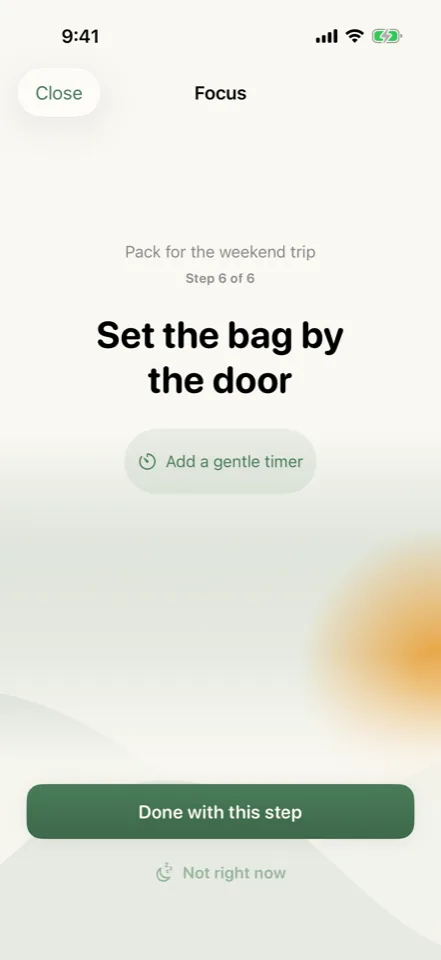
  3. Start in Focus.

    Keep the current step on screen, use a timer if it helps, and mark it done when you finish. You can snooze it or split it again.

A simpler step-splitting tool remains available when the daily AI allowance is used up.

Sort out what is on your mind.

Type or dictate a brain dump before trying to organize it. Edit the proposed task names, change their categories or urgency, and remove anything you do not want to keep.

Speech transcription runs on-device after the required language assets are available.

Plan for the tasks that return.

Export with Pro Set a task to recur, move it to another day, or send its remaining steps to Apple Reminders or Calendar with Pro.

Those exports are one-way. Changes in Reminders or Calendar do not sync back into Molehill.

Free and Pro

Keep making progress on the free plan.

In development

Planned features and limits are shown below. Pricing and compatibility will be confirmed before release.

Free

  • Manual tasks, step management, and Focus
  • Three AI actions per local day
  • Fallback step splitting and basic brain-dump parsing

Pro

  • Unlimited AI actions
  • Reminders and Calendar export
  • Deeper statistics and additional themes

Planned: Free · Pro $2.99/mo · $19.99/yr · $39.99 lifetime

What you will need

The current build requires iPhone on iOS 26 with Apple Intelligence available. Microphone and speech permissions are needed for dictation.

Put the steps on your calendar.

Pro can send a task’s unfinished steps to Reminders or make sequential Calendar blocks from their time estimates. The task stays in Molehill, with the exported copy in the tool you choose.

The current build does not provide a general task-library backup and restore flow.

The Boundary Check

How Molehill handles your records.

Where the work happens, where your records live, and which features use a connection.

Where does the processing happen?
AI breakdowns and brain-dump sorting run through Apple Foundation Models on-device. SpeechAnalyzer transcribes locally. Simpler fallback paths handle supported tasks without a model response.
Where does the storage live?
Tasks live in a local database on the iPhone. Widgets and Spotlight can surface task information on the device. There is no cross-device task sync in the current build.
What connects to the network, and when?
Language or model setup and purchases can require a connection. Tasks you export to Reminders or Calendar may sync through your Apple account.
Read the collection’s privacy model

Before release

Questions about Molehill.

Open the split action to replace it with two to four smaller steps in the context of the original task. Molehill can also offer that action after repeated deferrals when the step is eligible. You can adjust the plan rather than start over. Time estimates remain estimates.