In developmentRecipes & Cooking · iOS · iPadOS · watchOS

Recipes & Cooking

MISE

A recipe box should not become someone else’s dataset.

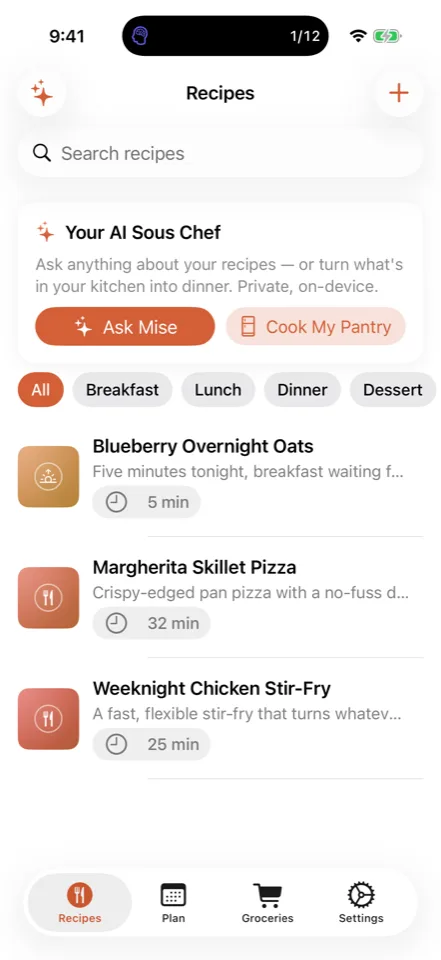
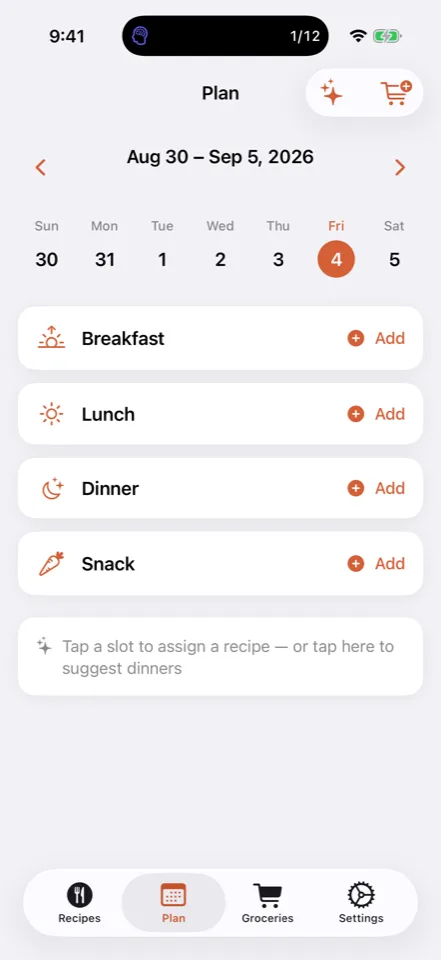
Mise is a recipe box that keeps cooking on your side of the glass. Save recipes through the share sheet, by pasting messy text, by photographing a cookbook page or a handwritten card, or by typing one yourself. Structured recipe data is read directly from the page when a site publishes it, and Apple Foundation Models parses the rest on-device. Ask Mise answers real cooking questions grounded in your recipe box, your pantry, and your dietary profile, and can write a recipe from what you already have. A weekly planner fills the week, the grocery list consolidates duplicates and sorts by aisle, and cook mode runs several timers at once in a Live Activity. Mise requires Apple Intelligence, stores recipes locally with optional private iCloud sync, and remains in active development.

In active developmentCompare the collection

Why it exists

A recipe box should not become someone else’s dataset.

Mise keeps the whole cooking loop on the device: import from anywhere, structure the recipe on-device, plan the week, build the grocery list, and cook with a sous chef that already knows your kitchen. There is no Mise account and no recipe server to lose your collection to.

01 / Private workflowFrom input to useful result

No hidden data path

Useful from the first input to the final result.

  1. 01

    Save It from Anywhere

    Share a page from Safari or another app, paste messy text, photograph a cookbook page for on-device OCR, or write the recipe yourself.

  2. 02

    Structure It On-Device

    Published recipe data is read directly from the page; anything messier is parsed into a structured recipe by Apple Foundation Models on the device.

  3. 03

    Plan and Shop

    Assign recipes to a weekly grid or auto-fill the week, then generate a grocery list that consolidates duplicates and sorts by supermarket aisle.

  4. 04

    Cook It

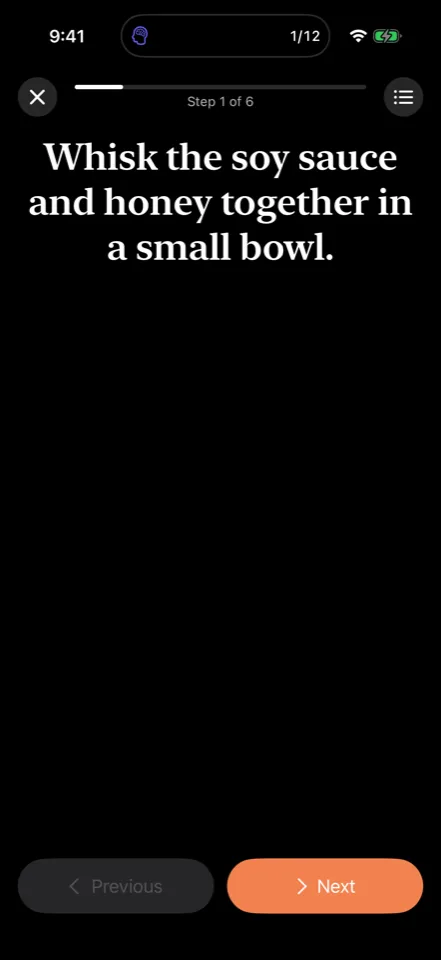
    Cook mode gives you one step at a time in large type, scaled servings, and several concurrent timers on the Lock Screen and Dynamic Island.

What it does

Purpose-built for one private workflow.

01

Import Without Retyping

Share sheet, paste-and-parse, and photo OCR turn a web page, a screenshot, or a handwritten card into a structured recipe with its photo.

02

A Sous Chef That Knows Your Kitchen

Ask Mise answers cooking questions grounded in your recipe box, pantry, and dietary profile, and can write a recipe from what you already have.

03

Hands-Free at the Stove

Cook mode, concurrent timers in a Live Activity, fraction-aware serving scaling, metric and US conversion, and an Apple Watch companion.

Privacy is architecture

A shorter data path.
A clearer privacy boundary.

Recipe parsing, the sous chef, pantry generation, and substitutions run on-device and require Apple Intelligence; devices without it are told so at launch instead of silently degrading. The only network requests are fetching a page you asked Mise to import, made directly to that site, and App Store purchase verification. Recipes are stored locally with optional private iCloud sync through your own account.

Read the full privacy model

Before release or install

Questions worth asking.

Yes. Share a page from Safari or another app, or paste the text, and Mise builds a structured recipe on the device. Most recipe sites publish machine-readable recipe data, which Mise reads directly with no AI involved. Messier pages are parsed by Apple’s on-device model. The only network request is fetching the page you asked for, made directly to that site.