In developmentPrivate Learning · iOS

Private Learning

MEMORA

AI should help you study, not collect your source material.

Memora helps you make better cards without uploading the material you are trying to learn. Paste notes, import a text-layer PDF, or choose a photo for local Vision OCR. Apple Foundation Models creates source-grounded drafts on-device, with a NaturalLanguage fallback when Apple Intelligence is unavailable. Nothing enters a deck until you review and edit it. FSRS then schedules recall with visible intervals, relearning, and undo. Memora remains in active development, stores decks locally, and does not currently claim iCloud sync.

In active developmentCompare the collection

Why it exists

AI should help you study, not collect your source material.

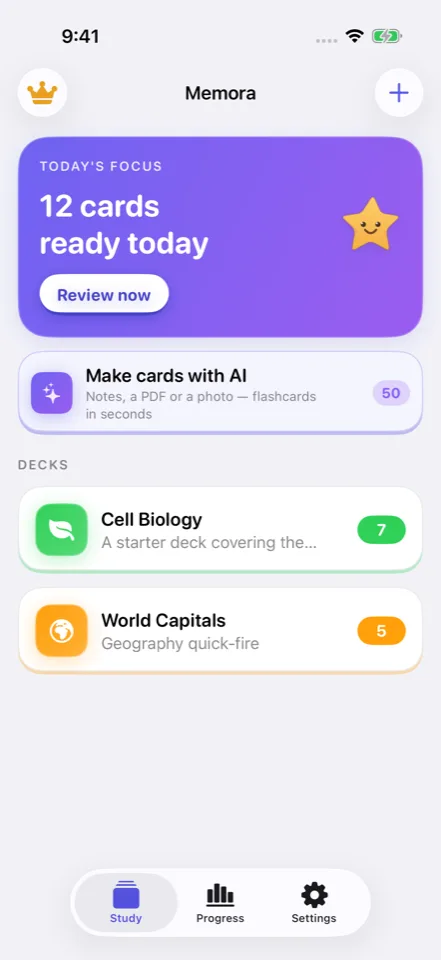
Memora converts material you provide into editable draft cards, puts every draft through a review gate, and uses FSRS to decide when recall is most useful. The source stays visible, the schedule stays understandable, and every rating can be corrected.

01 / Private workflowFrom input to useful result

No hidden data path

Useful from the first input to the final result.

  1. 01

    Bring Your Material

    Paste notes, import a text-layer PDF, or choose a photo whose text can be extracted locally with Vision.

  2. 02

    Generate Draft Cards

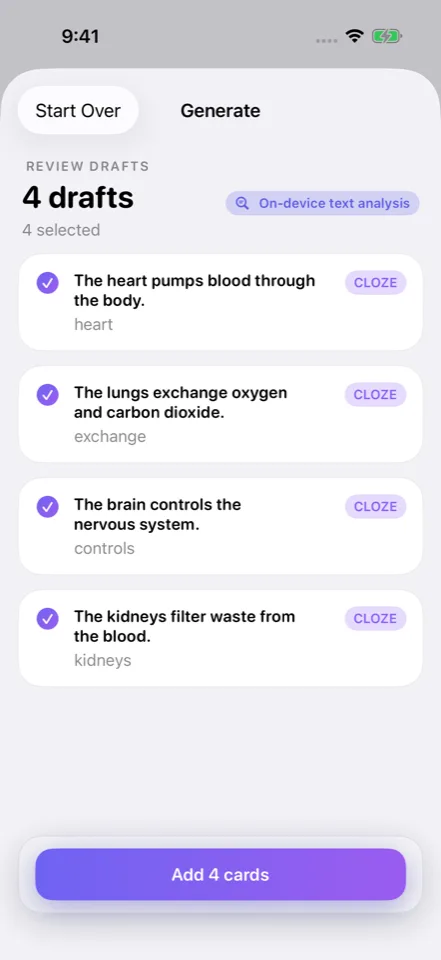
    Apple Foundation Models creates source-grounded drafts; a local text-analysis fallback keeps standard generation useful without Apple Intelligence.

  3. 03

    Review before Saving

    Edit, include, or discard each proposed card so generated material never bypasses the learner’s judgment.

  4. 04

    Review at the Right Time

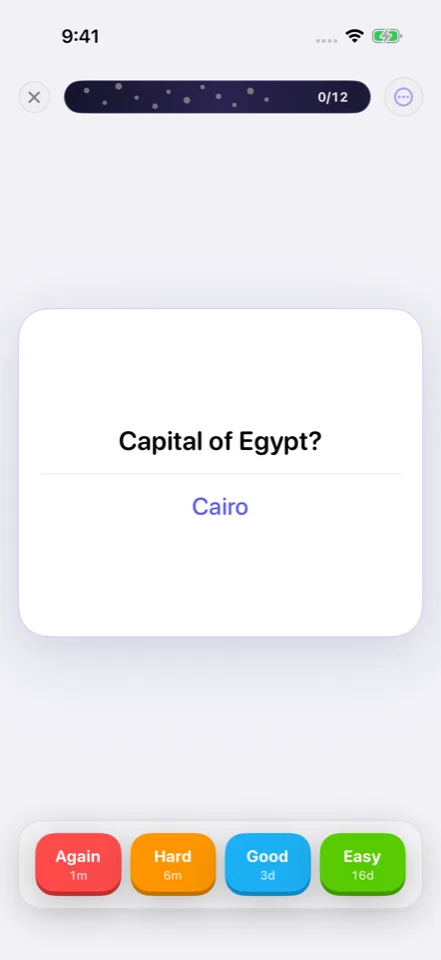
    Rate recall as Again, Hard, Good, or Easy and let FSRS update memory strength and the next due interval.

What it does

Purpose-built for one private workflow.

01

Private Source-to-Card

Notes, embedded PDF text, and selected-photo OCR are transformed locally, with a human review gate before any generated card enters a deck.

02

Memory, Made Visible

FSRS powers four-grade review, next-interval previews, intra-session relearning, one-step undo, and a visible memory-strength model.

03

More Ways to Retrieve

Basic, cloze, and image-occlusion cards extend into Match, Listen, practice tests, sharing, and an Apple-Intelligence-only tutor grounded in the current deck.

Privacy is architecture

A shorter data path.
A clearer privacy boundary.

Core card generation, PDF text extraction, selected-photo OCR, storage, and scheduling happen locally. PDFs need embedded text, scanned PDFs are not OCR’d as documents, and the current build does not offer iCloud sync. Similar-card generation and the tutor require Apple Intelligence.

Read the full privacy model

Before release or install

Questions worth asking.

01Can Memora turn my notes, a PDF, or a photo into flashcards?

Memora can generate draft cards from pasted or typed notes, PDFs that contain an embedded text layer, and a photo selected from the library for local Vision OCR. It does not currently OCR an entire scanned PDF as a document or provide an in-app document camera, so those broader claims would be inaccurate.

02Does Memora save AI-generated flashcards automatically?

No. Generated cards appear as drafts that the learner can edit, include, or discard. Only approved cards enter the deck. This review gate keeps source-grounded generation from bypassing the person who is studying the material.

03How does Memora know when I should review a flashcard?

Memora uses FSRS spaced repetition. After the answer is revealed, the learner rates recall as Again, Hard, Good, or Easy; FSRS updates difficulty and memory stability, previews the next interval, and schedules the next review. A mistaken rating can be undone.

04Does Memora work without Apple Intelligence?

Standard card generation falls back to a local NaturalLanguage extractor when Foundation Models are unavailable, and manual cards plus FSRS remain fully useful. Generate Similar and the deck-grounded Tutor require supported Apple Intelligence and do not currently have that fallback.

05Does my study material leave my iPhone or sync to iCloud?

Core decks, generation, OCR, and review history are local, with no Memora account, developer server, analytics, or current iCloud sync. Material leaves only through a user-initiated action such as sharing a deck file or a small text-only deck by QR, plus ordinary Apple purchase or web-link traffic.

06Can I share a Memora deck without sharing my study history?

Yes. The implemented .memora share format excludes review history, schedule, and streak data; sufficiently small text-only decks can also be shared through QR. The recipient receives study content, not the sender’s learning record.